Purpose
To re-authorize an existing E-Omni marketplace integration when tokens expire, access is revoked, or integration errors occur.
Prerequisites
Active E-Omni access
Existing marketplace integration already connected
Valid Seller Centre login credentials for the marketplace
Steps
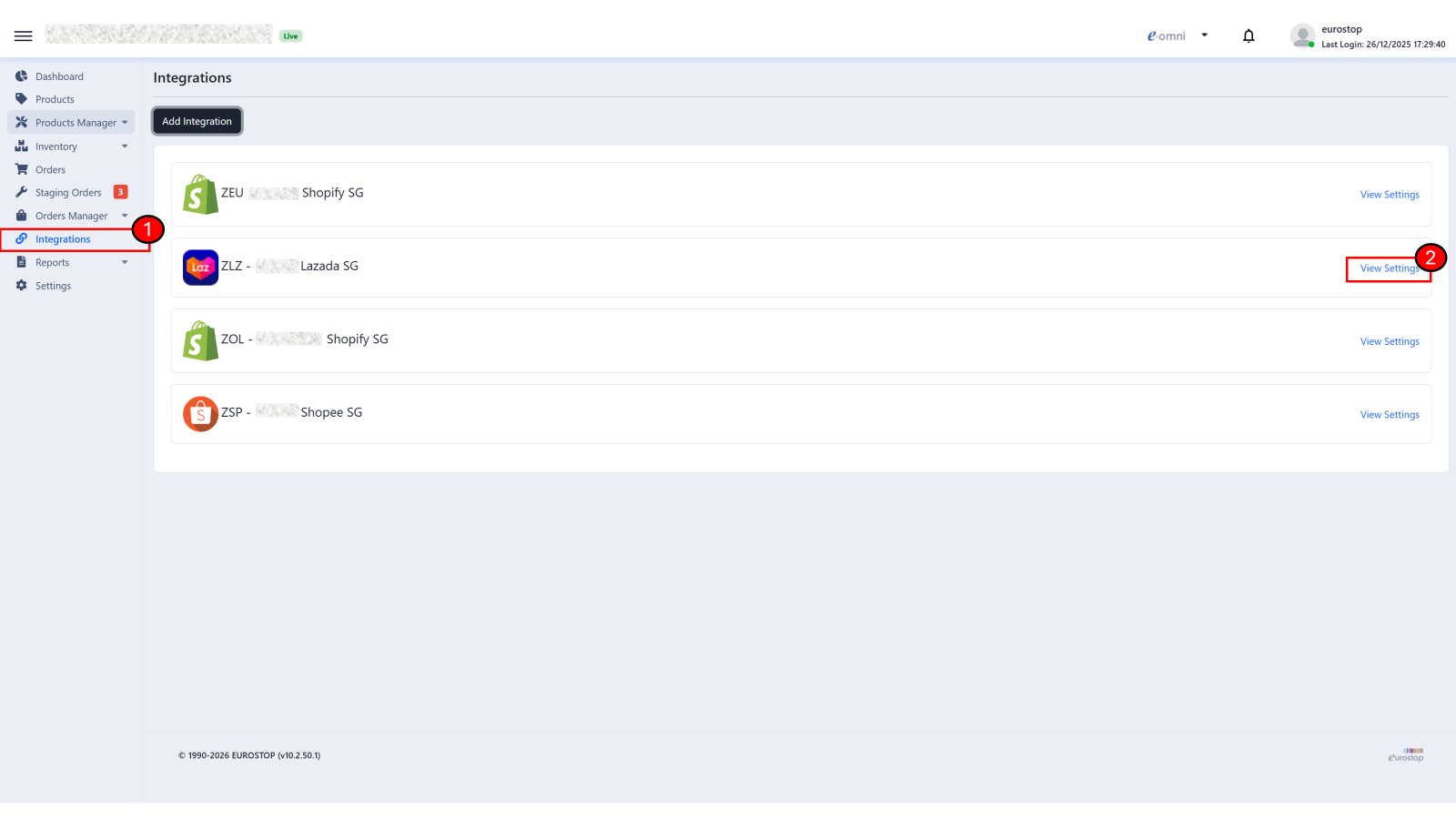
Navigate to E-Omni Integrations
Go to E-Omni > Integrations > Connected Integrations
Open Integration Settings
Locate the relevant marketplace
Click View Settings
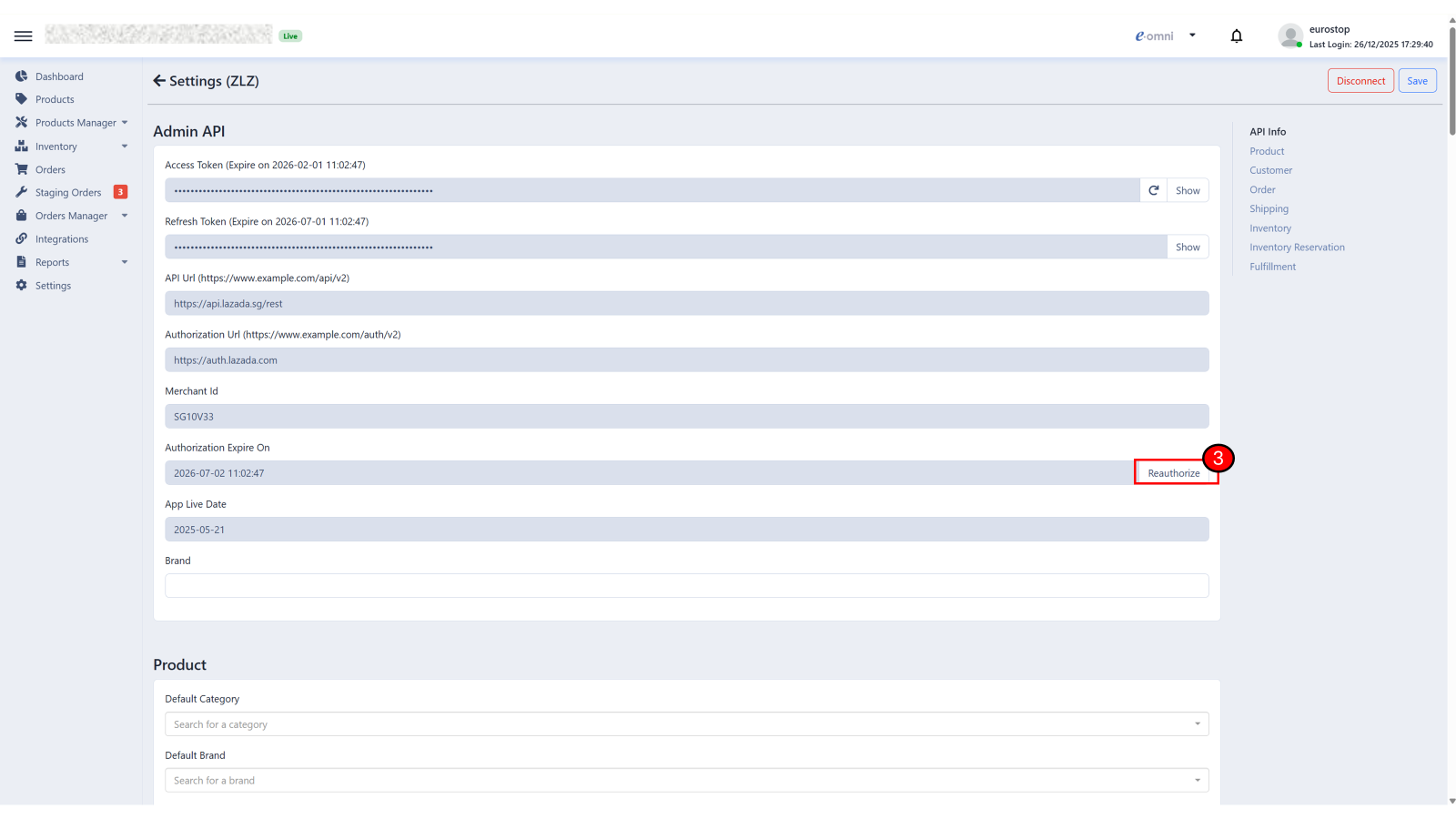
Reauthorize Integration
Scroll to the Admin API section
Click Reauthorize
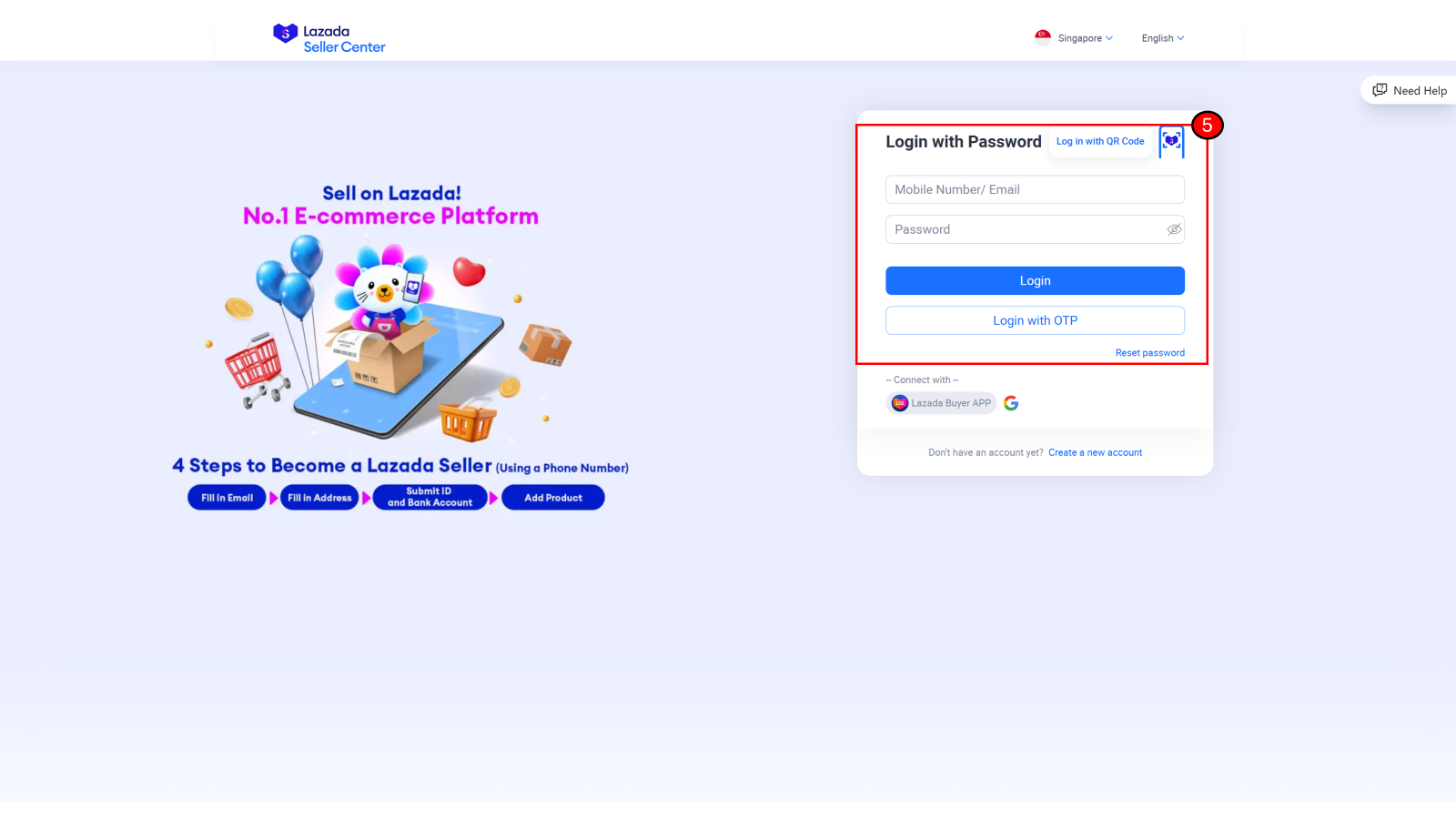
Login to Seller Centre
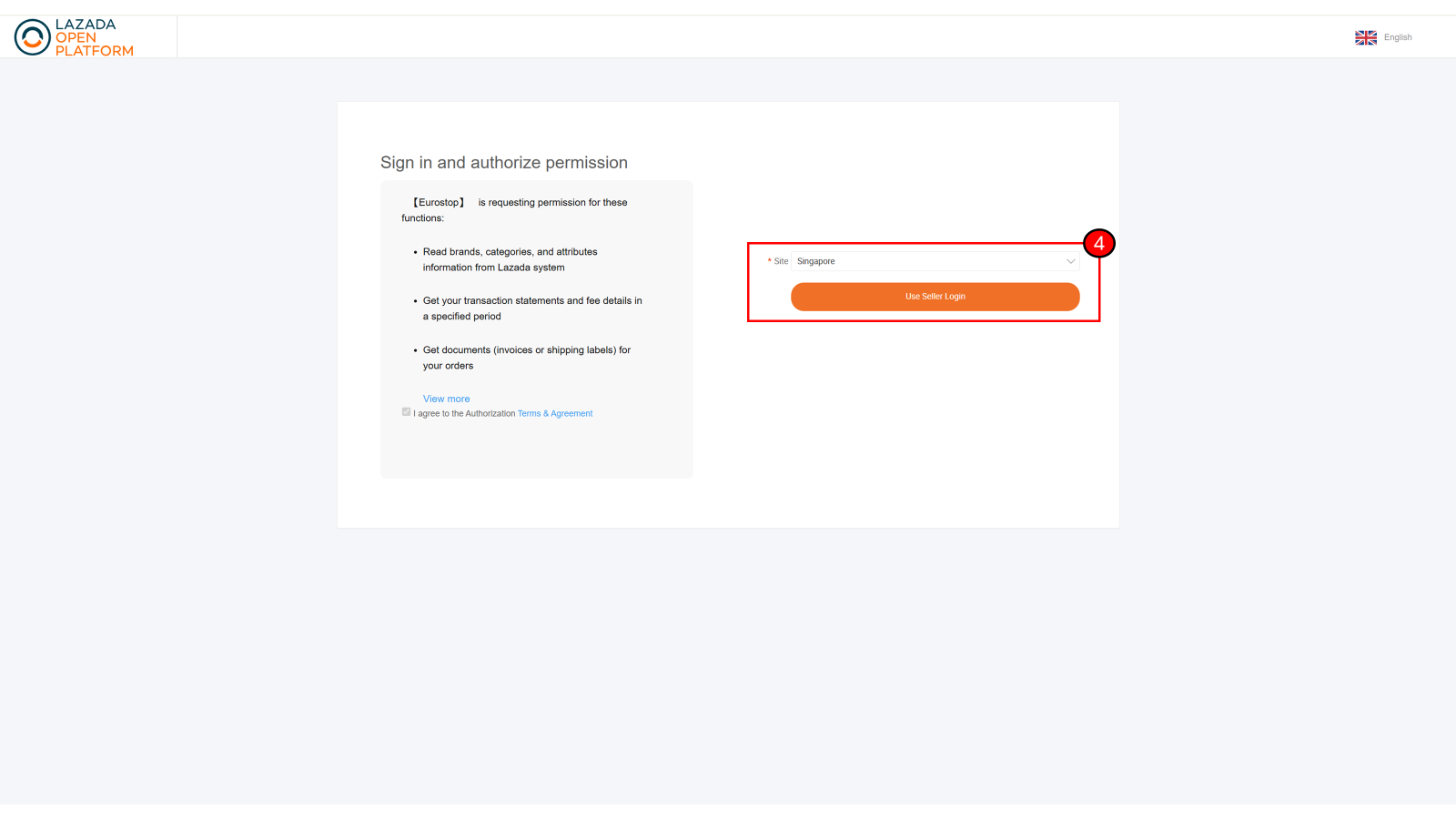
You will be redirected to the marketplace’s Seller Centre login page
Login using the same seller account used during the original setup
Confirm Authorization
Approve access if prompted
Wait until the system redirects you back to E-Omni
Verify Status
Confirm the integration status is Connected
Check the Authorization Expire On date:
Ensure the expiry date is updated and in the future
If the date is unchanged or already expired, repeat the reauthorization process
Ensure no error messages are displayed after re-authorization
Notes / Tips
⚡ Do not create a new integration if the issue is token-related. Always reauthorize.
⚡ If reauthorization fails, log out from Seller Centre first, then retry.
Was this article helpful?
That’s Great!
Thank you for your feedback
Sorry! We couldn't be helpful
Thank you for your feedback
Feedback sent
We appreciate your effort and will try to fix the article