Purpose
To fulfill online orders by picking stock via MPOS and completing packing and shipping either through the marketplace seller centre or directly in E-Omni.
Prerequisites
User has access to MPOS Back Office > Transfer Out
User has access to E-Omni
Order is Not Bin Managed
Order is successfully synced from marketplace into E-Omni
Step 1: Fulfill Order via MPOS (Stock Picking)
Where to go
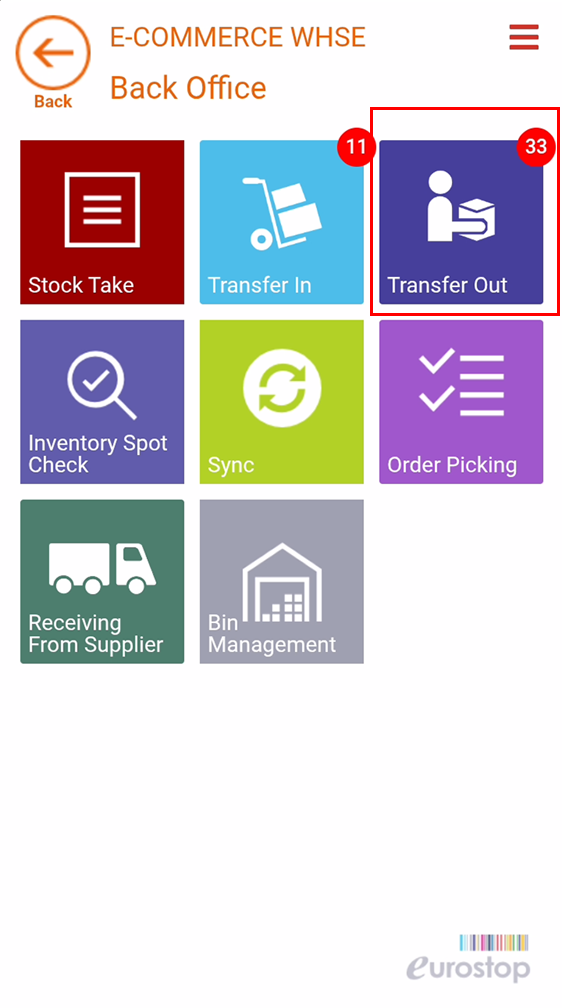
Navigate to MPOS > Back Office > Transfer Out
Steps
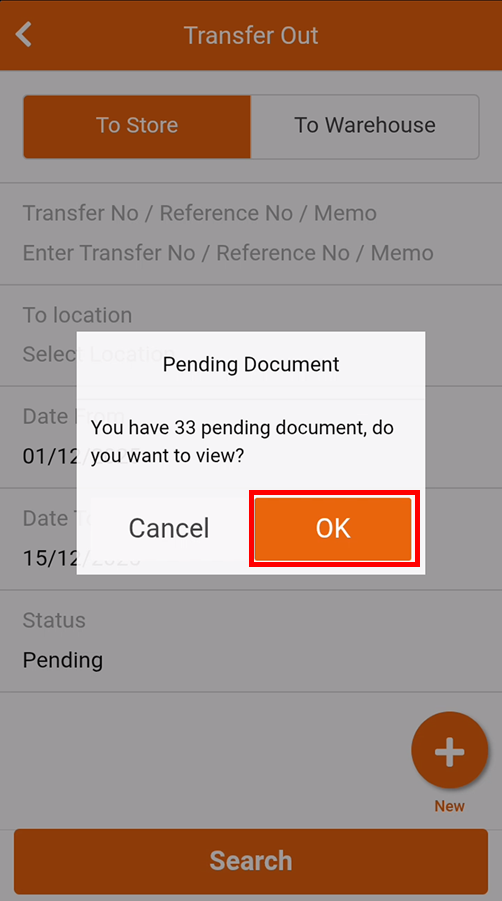
Select the relevant online order.
Pick the required items using the MPOS device.
Click Save after confirming picked quantities.
Click Confirm.
Click Ship.
? Result:
The order is marked as Fulfillment Completed, and stock is deducted from inventory.
⚡ Quick Tip: This step must be completed before packing and shipping the order in the marketplace.
Step 2: Update Pack Status (Marketplace)
Option A: Recommended – Marketplace Seller Centre
Where to go
Navigate to the respective Marketplace Seller Centre (Shopee, Lazada, etc.)
Steps
Locate the fulfilled order.
Update the order status to Packed following normal marketplace procedures.
Option B: Alternative – Pack via E-Omni
Where to go
Navigate to E-Omni > Orders
Steps
Filter Channel to the relevant marketplace.
Filter Order Status to New.
Select the order(s).
Click To Pack.
? Note: Packing via E-Omni will sync the packed status back to the marketplace.
Step 3: Update Ship Status (Marketplace)
Option A: Recommended – Marketplace Seller Centre
Where to go
Navigate to the respective Marketplace Seller Centre
Steps
Generate or confirm the shipping label / AWB.
Update the order status to Shipped.
Option B: Alternative – Ship via E-Omni
Where to go
Navigate to E-Omni > Orders
Steps
Filter Channel to the relevant marketplace.
Filter Order Status to Packed.
Select the order(s).
Click To Ship.
? Note: Shipping via E-Omni will sync the shipped status and AWB (if applicable) back to the marketplace.
Notes & Best Practices
Always complete MPOS fulfillment first before packing or shipping
Marketplace Seller Centre is recommended for final status updates to align with platform rules
Ensure order status sequence follows:
Fufillment: New → Fulfilled | Order Status: Packed → Shipped
Was this article helpful?
That’s Great!
Thank you for your feedback
Sorry! We couldn't be helpful
Thank you for your feedback
Feedback sent
We appreciate your effort and will try to fix the article