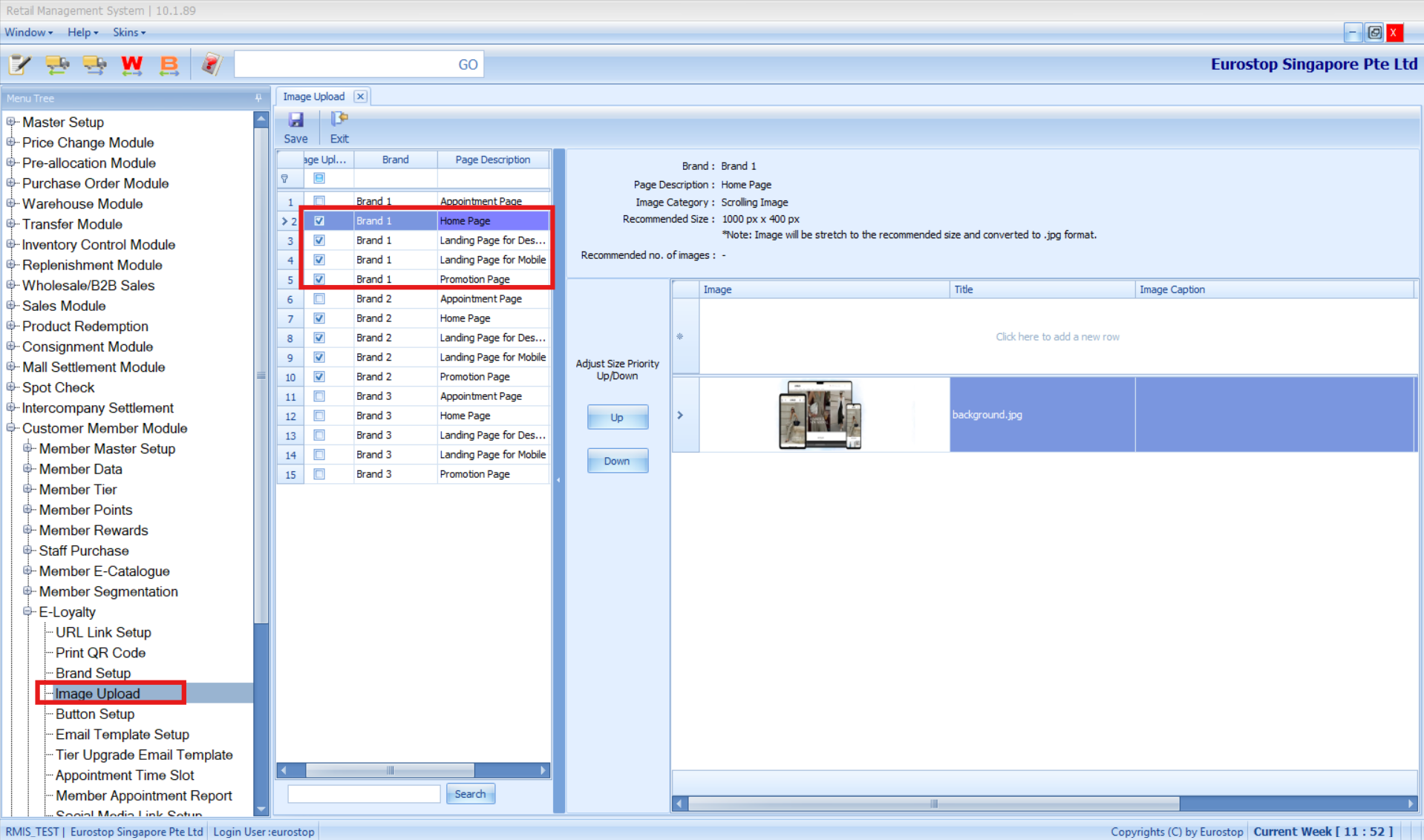
Purpose
Upload images for the Customer Member Eloyalty Portal, including Homepage, Landing Page (Desktop/Mobile), and Promotion pages.
Prerequisites
Access to Customer Member Module > Eloyalty > Image Upload.
Steps
Navigate to Customer Member Module > Eloyalty > Image Upload.
Select the page you want to update:
Home Page
Landing Page (Desktop)
Landing Page (Mobile)
Promotion Page
Refer to below for images resolution
Images Resolutions Images Pcs Image Caption URL Link Logo Images 300 px x 300 px 1pc No No Slider images 1000 px x 400 px 3pcs No Yes - 1 link/image Landing Page images (Desktop) 1280 px x 900 px 1pc No No Landing Page images (Mobile) 480 px x 800 px 1pc No No Promotion images 600 px x 600 px 4pcs Yes - 1 caption/image Yes - 1 link/image Click … to choose and upload the image for the selected page.
Click Save to apply changes.
Notes / Tips
Verify the uploaded image by checking the Eloyalty portal to ensure it displays correctly.
Use appropriately sized images for Desktop and Mobile landing pages to avoid display issues.
Was this article helpful?
That’s Great!
Thank you for your feedback
Sorry! We couldn't be helpful
Thank you for your feedback
Feedback sent
We appreciate your effort and will try to fix the article